CRM stands for customer relationship management. In its simplest form, a CRM is a system businesses use to organize information about customers and potential customers, track interactions with them, and manage the processes that happen between the first inquiry and an eventual sale.
Modern CRM software can do considerably more than store names, phone numbers, and email addresses. Depending on the platform, a CRM may track leads, sales opportunities, emails, phone calls, appointments, estimates, purchases, customer service issues, marketing activity, and follow-up tasks.
The purpose is relatively straightforward: give a business one place to understand its relationships with customers instead of spreading that information across inboxes, spreadsheets, employee notes, calendars, forms, and disconnected software.
What Does CRM Stand For?
CRM stands for customer relationship management.
The term can describe both the broader process of managing customer relationships and the software businesses use to manage those relationships.
In everyday business conversations, however, someone saying “the CRM” is usually referring to the software itself.
For example, a company might use a CRM to keep track of someone who filled out a website form, which salesperson contacted that person, whether an estimate was sent, when the salesperson should follow up, whether the sale closed, and what happened afterward.
That creates a continuous customer record instead of forcing employees to reconstruct the history every time they need information.
What Is CRM Software?
CRM software is a platform designed to collect, organize, and manage information about prospects and customers.
A basic CRM might function primarily as a centralized contact database. More advanced CRM platforms can become part of the operating system of a business, connecting sales, marketing, customer service, reporting, automation, and other parts of the customer journey.
Consider a homeowner requesting an estimate from a local service company.
They may first click a Google ad, visit the company website, complete an estimate form, receive an automated confirmation email, speak with someone in the office, schedule an appointment, receive an estimate, approve the work, make a payment, and later leave a review.
Without connected systems, information from those interactions can end up in several different places.
The advertising platform knows where the click came from. The website records the form submission. Someone has an email conversation with the customer. A salesperson keeps notes from the estimate. Scheduling software records the appointment. Accounting software eventually records the payment.
A CRM can help connect much of that activity to a single customer or lead record.
What Does a CRM Do?
Different CRM systems have different capabilities, but most are designed around a similar set of functions.
Contact management
A CRM stores information about customers and prospects such as names, companies, phone numbers, email addresses, locations, notes, and previous interactions.
Instead of customer information living entirely inside an employee’s inbox or spreadsheet, it becomes available to the people who need it.
Lead management
CRM software can track potential customers as they move through the sales process.
A lead might move through stages such as:
New Inquiry → Contacted → Appointment Scheduled → Estimate Sent → Follow-Up → Won or Lost
The exact stages depend on the business.
A roofing contractor will have a different sales process from a dental office, law firm, dealership, ecommerce company, or commercial equipment supplier.
Sales pipeline management
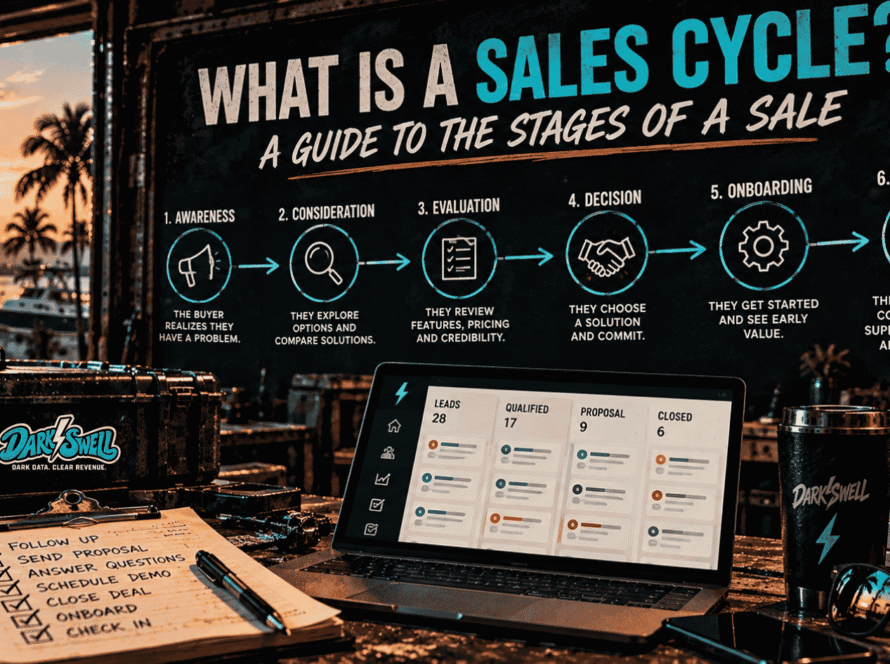
A CRM can show how many sales opportunities currently exist and where each opportunity sits in the sales process.
This is commonly referred to as the sales pipeline.
Pipeline visibility can help managers understand whether leads are being worked, where deals tend to stall, how much potential revenue is currently open, and what may be expected to close during a particular period.
Communication history
Many CRM platforms can connect with email, phone systems, text messaging, website forms, or other communication tools.
That makes it possible to see previous customer interactions without searching through several different systems.
Someone taking over an account may be able to see that a customer requested information three weeks ago, spoke to another employee, received an estimate, and has been waiting for a follow-up.
Task and follow-up management
CRM systems can help employees remember what needs to happen next.
That might include calling a prospect, sending an estimate, following up after an appointment, renewing a contract, contacting a previous customer, or responding to a service request.
Some systems allow these tasks to be automated.
For example, a CRM might automatically create a follow-up task three days after an estimate is sent.
Marketing automation
Some CRM platforms include marketing capabilities directly, while others integrate with dedicated marketing tools.
Businesses may use CRM data to create email lists, trigger automated messages, segment customers, track campaigns, identify previous customers, or build audiences based on customer behavior.
Reporting and analytics
Because the CRM records activity throughout the sales process, it can also become an important source of business reporting.
Depending on the system and how consistently it is used, businesses may be able to measure metrics such as:
- Number of new leads
- Lead sources
- Appointment rates
- Sales opportunities
- Sales conversion rates
- Average deal value
- Sales by employee
- Sales cycle length
- Lost opportunity reasons
- Customer retention
- Revenue by customer or account
The quality of these reports depends heavily on the quality and consistency of the data entering the CRM.
CRM vs. a Spreadsheet
Small businesses often begin managing customers with spreadsheets, and there is nothing inherently wrong with that.
For a small number of leads, a spreadsheet may be entirely sufficient.
The problem usually appears as the business becomes more complicated.
A spreadsheet can tell you that John Smith requested an estimate.
A CRM can potentially tell you when John Smith entered the system, where the lead came from, who contacted him, what was discussed, which services he was interested in, whether an appointment was scheduled, what the estimate was worth, when someone last followed up, why the opportunity was won or lost, and whether he later became a repeat customer.
A CRM also allows several employees to participate in the same process without relying on one person to remember everything.
That distinction becomes increasingly important as lead volume, employee count, marketing channels, and customer interactions increase.
CRM vs. Marketing Automation
CRM and marketing automation software overlap, but they are not exactly the same thing.
Marketing automation platforms are generally designed to automate and measure marketing activity. That can include email campaigns, audience segmentation, lead nurturing, landing pages, advertising audiences, and campaign workflows.
CRM software is generally centered on managing individual prospects, customers, accounts, and sales opportunities.
Modern platforms increasingly combine both.
A lead might enter through a marketing campaign, receive several automated emails, become qualified based on their activity, move into a sales pipeline, speak with a salesperson, purchase something, and later enter a customer retention campaign.
When the systems are connected, marketing and sales can work from the same customer journey rather than maintaining completely separate records.
Who Uses a CRM?
CRM systems are used by organizations ranging from one-person businesses to global corporations.
They are particularly useful when multiple people interact with the same customers.
Salespeople may use a CRM to manage opportunities and follow-ups. Marketing teams may use CRM information to understand lead sources and customer segments. Customer service teams may reference previous conversations and purchases. Managers may use the data for forecasting and performance reporting. Owners may use CRM reports to understand how leads are moving through the business.
CRM software is also common across industries.
Home services companies, professional services firms, dealerships, healthcare organizations, real estate businesses, contractors, financial services companies, ecommerce brands, manufacturers, hospitality businesses, and many other organizations can all use CRM systems.
The way the CRM is configured matters more than the industry label attached to it.
What Are the Main Types of CRM?
CRM systems are often grouped into several categories.
Operational CRM
Operational CRM focuses on the day-to-day processes involved in marketing, selling, and serving customers.
This can include lead management, sales pipelines, automated follow-ups, customer service workflows, and marketing automation.
Analytical CRM
Analytical CRM focuses on using customer data to understand performance and behavior.
A business might analyze which lead sources produce the highest-value customers, which products are purchased together, which customers are most likely to return, or where opportunities tend to disappear from the sales process.
Collaborative CRM
Collaborative CRM helps different teams share customer information.
For example, sales may need access to information collected by marketing, while customer service may need visibility into what a salesperson promised during the original purchase.
Strategic CRM
Strategic CRM refers more broadly to using customer information to guide long-term customer relationships.
Rather than concentrating only on individual transactions, the business may use CRM data to improve retention, customer experience, personalization, and customer lifetime value.
Many modern CRM platforms contain elements of all four.
What Are the Benefits of Using a CRM?
The biggest advantage of CRM software is usually not one individual feature. It is the ability to create a more organized customer process.
Customer information stays in one place
Employees do not have to rely entirely on personal inboxes, handwritten notes, spreadsheets, or memory.
Customer history can remain with the business even when employees change roles or leave the company.
Leads are less likely to disappear
Without a defined process, a lead can submit a form, receive one phone call, and quietly disappear because nobody remembers to follow up.
A CRM can make outstanding opportunities visible and assign responsibility for the next action.
Sales processes become easier to see
Managers can examine how many opportunities exist at each stage rather than relying entirely on verbal updates from salespeople.
Marketing can be connected more closely to revenue
When lead sources are preserved inside the CRM, businesses have a better chance of connecting marketing activity with actual sales outcomes.
Website traffic or advertising leads are useful measurements, but knowing which leads eventually became customers is far more informative.
Customer handoffs can improve
Information collected by one employee or department can become available to the next person interacting with the customer.
That can reduce situations where customers repeatedly explain the same problem or provide the same information.
Repetitive work can be automated
CRM automation can handle tasks such as assigning leads, creating reminders, sending routine messages, updating records, or triggering workflows.
That does not eliminate the need for people. It reduces some of the administrative work surrounding customer relationships.
When Does a Small Business Need a CRM?
There is no specific revenue level or employee count at which every company suddenly needs CRM software.
The better signal is complexity.
A CRM may be worth considering when a business regularly encounters problems such as:
- Leads being forgotten or lost
- Customer information spread across multiple systems
- Employees keeping their own customer spreadsheets
- No clear record of previous customer conversations
- Follow-up depending on individual memory
- Difficulty seeing the current sales pipeline
- Marketing leads that cannot be connected to sales
- Uncertainty about why opportunities are being lost
- Multiple departments interacting with the same customers
- Increasing lead volume becoming difficult to manage manually
A five-person business with hundreds of incoming leads may need a CRM much sooner than a fifty-person business with only a handful of long-term accounts.
What Features Should You Look for in a CRM?
There is no single CRM that is best for every business.
The right features depend on what the system needs to accomplish.
Common CRM capabilities include contact management, lead tracking, customizable sales pipelines, email integration, task management, workflow automation, marketing integrations, forms, reporting, dashboards, mobile access, permissions, APIs, and integrations with other software.
Increasingly, CRM platforms also include AI-powered features such as conversation summaries, automated data entry, lead scoring, recommended follow-ups, content generation, forecasting, and customer service assistance.
More features are not automatically better.
A sophisticated platform that employees avoid using may provide less value than a simpler CRM that closely matches the company’s actual process.
How Much Does CRM Software Cost?
CRM pricing varies significantly.
Some platforms offer free versions with limited users or features. Others charge a monthly fee per user. More advanced systems may add charges for marketing contacts, automation, data storage, calling, artificial intelligence, implementation, support, or additional product modules.
For larger CRM implementations, software licenses may represent only part of the cost.
Businesses may also need to consider data migration, configuration, integrations, employee training, customization, maintenance, and ongoing administration.
For that reason, comparing CRM software based only on the advertised monthly price can be misleading.
What Makes a CRM Successful?
Buying CRM software does not automatically improve a business.
The system has to reflect how customers actually move through the organization.
That means defining what information should be collected, how leads enter the system, what stages opportunities move through, who owns each step, what should happen automatically, what employees must enter manually, and which measurements matter to the business.
Data quality matters as well.
If employees do not update opportunities, lead sources are missing, duplicates accumulate, or stages are used inconsistently, the reports produced by the CRM will become unreliable.
Successful CRM implementation therefore involves both technology and process.
The software provides the structure. The business still has to decide how that structure should be used.
CRM Frequently Asked Questions
What does CRM mean?
CRM means customer relationship management. It refers to the strategies, processes, and software businesses use to manage relationships and interactions with customers and potential customers.
What is a CRM system?
A CRM system is software that organizes customer and prospect information and helps businesses manage activities such as sales, communication, follow-up, marketing, and customer service.
What is CRM used for?
CRM software is commonly used for contact management, lead tracking, sales pipeline management, customer communication, marketing automation, follow-up, customer service, reporting, and sales forecasting.
Is a CRM just for sales?
No. Sales teams are among the most common CRM users, but CRM information can also support marketing, customer service, operations, management, and other departments that interact with customers.
Is CRM software only for large companies?
No. CRM software is used by businesses of virtually every size. Small businesses can use relatively simple systems, while larger organizations may use highly customized CRM environments serving thousands of employees.
Is Salesforce a CRM?
Yes. Salesforce is one of many CRM platforms available. Other CRM products serve different company sizes, industries, budgets, and use cases.
Can a CRM track marketing leads?
Yes. Many CRM systems can record where leads originated and connect with website forms, advertising platforms, analytics systems, email platforms, and other marketing software.
The exact level of tracking depends on the CRM, integrations, and how the system is configured.
Does a CRM replace email?
Usually not. Most CRM platforms integrate with email rather than replacing it entirely. The CRM can record conversations, associate emails with customer records, automate certain messages, and help teams coordinate follow-up.
What’s the difference between CRM and ERP software?
CRM software primarily focuses on customers, leads, sales, marketing, and customer relationships.
ERP, or enterprise resource planning, software typically manages internal business functions such as accounting, inventory, procurement, manufacturing, supply chain operations, and financial management.
The two systems can be integrated.
The Next Question: Which CRM Should You Use?
Understanding what CRM software does is relatively straightforward. Choosing one is harder.
Different platforms are designed for different types of businesses. Some emphasize simple contact and pipeline management. Others combine CRM with marketing automation, customer service, ecommerce, reporting, or broader business operations.
The right choice depends on the size of the business, how customers are acquired, the complexity of the sales process, the number of people who need access, integration requirements, and how much customization the business actually needs.
That is why the next step should not be asking which CRM has the longest feature list.
It should be figuring out which CRM best matches the way the business actually operates.